
Capigo
Get it on Google Play

Reminders, tasks and notes for Android

One tap.
Say it.
Done.

Speak the way you think — pauses and all. Capigo turns it into a titled note, in the right category, with the reminder already set. And the note stays on your phone — we never keep a copy.

Android 8.0+ 52 languages No subscription No ads
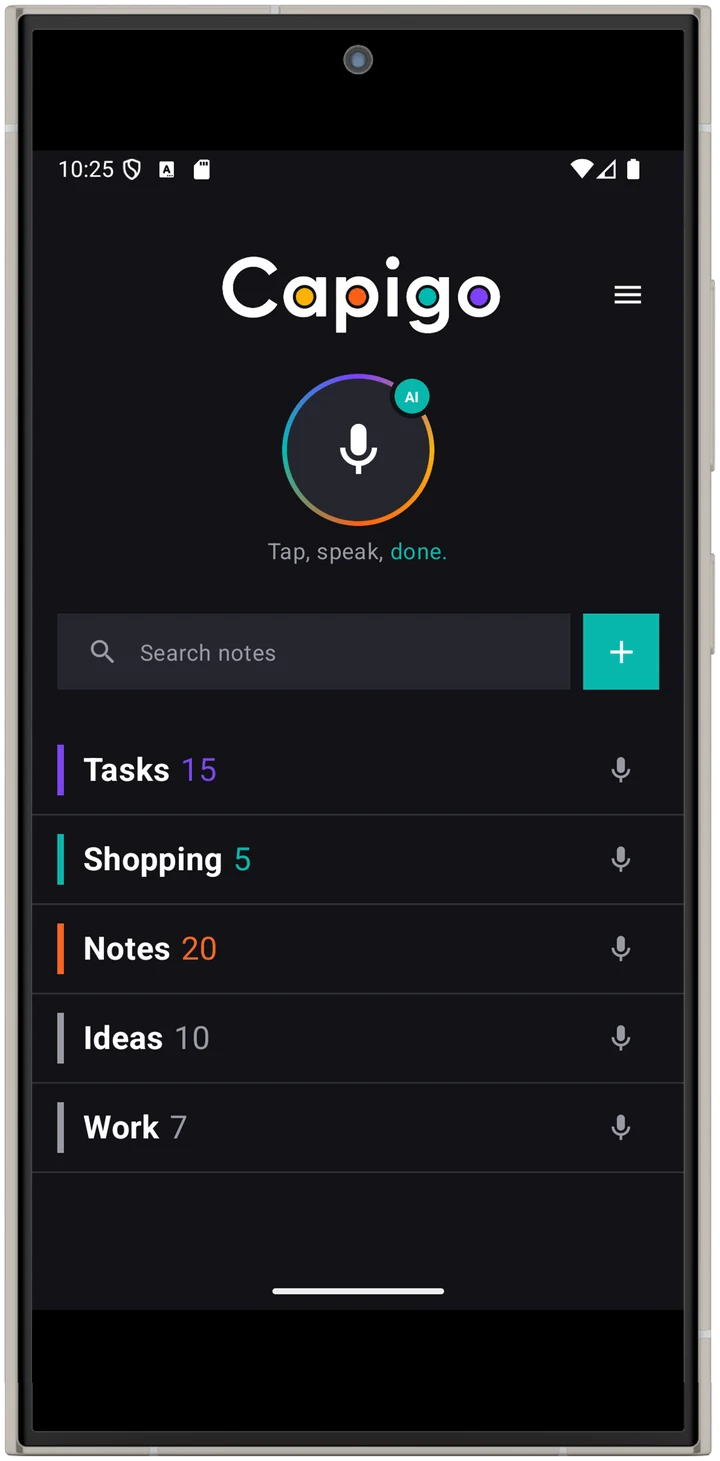
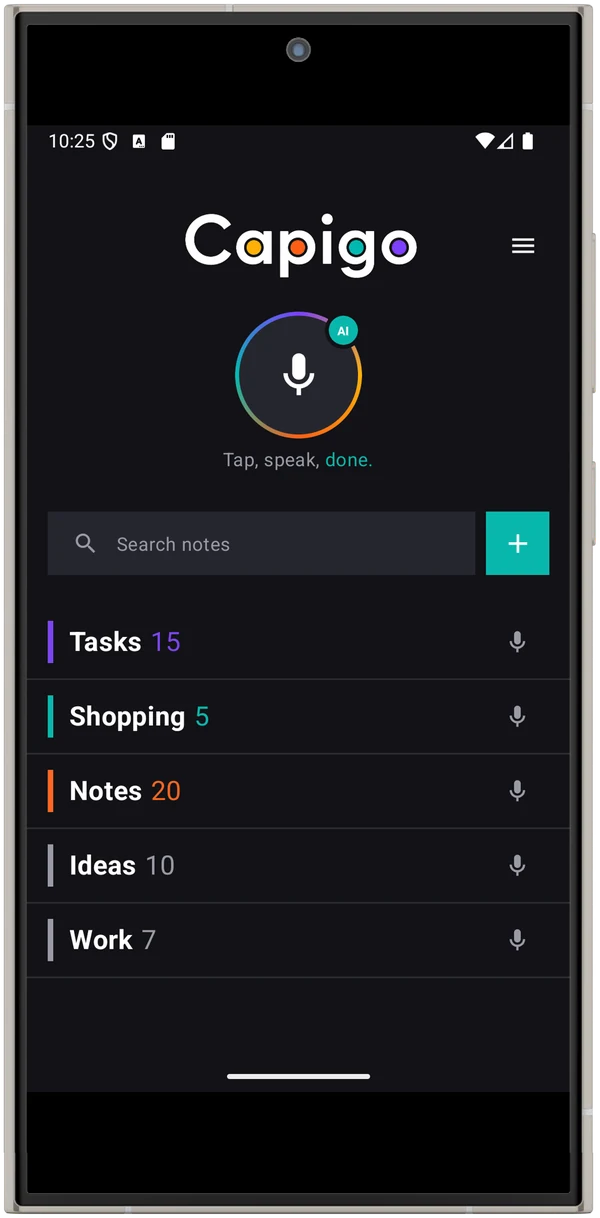
Capigo home screen: microphone button, search and categories

Tasks

Everything you have to do, sorted by when.

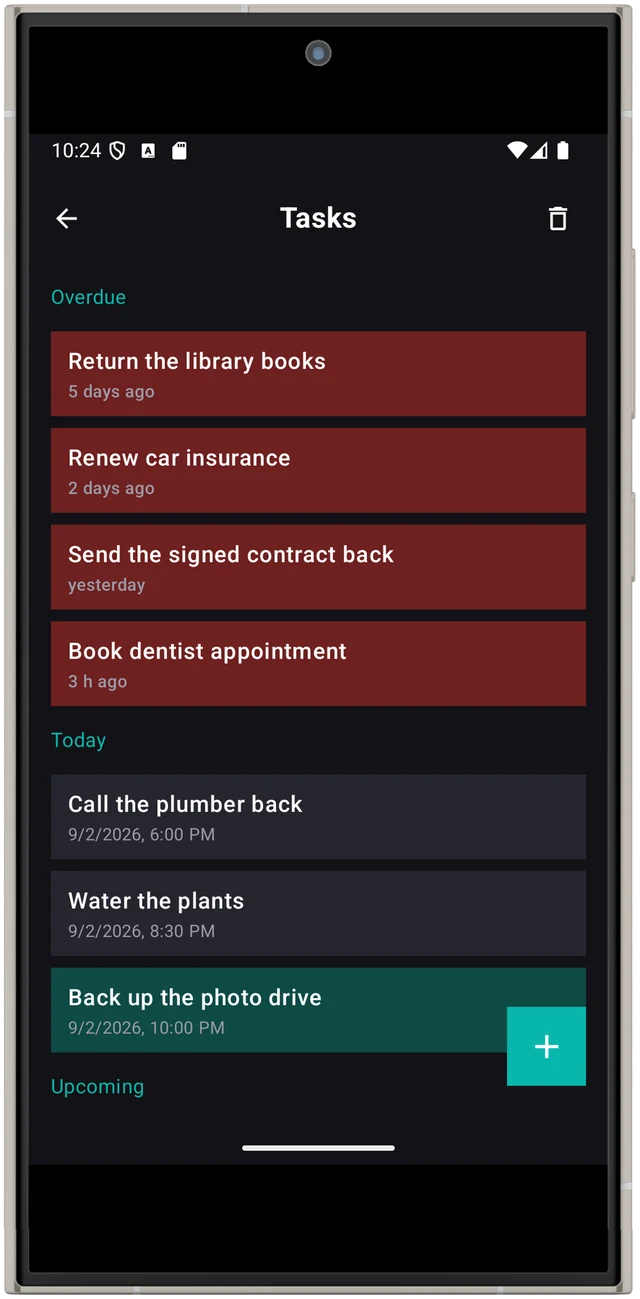
Overdue, today, upcoming. Say “Friday at nine” and it lands in the right place. Say “every Monday” and it keeps coming back.

Tasks screen with overdue, today and upcoming sections

Lists

Say it once, get a clean list.

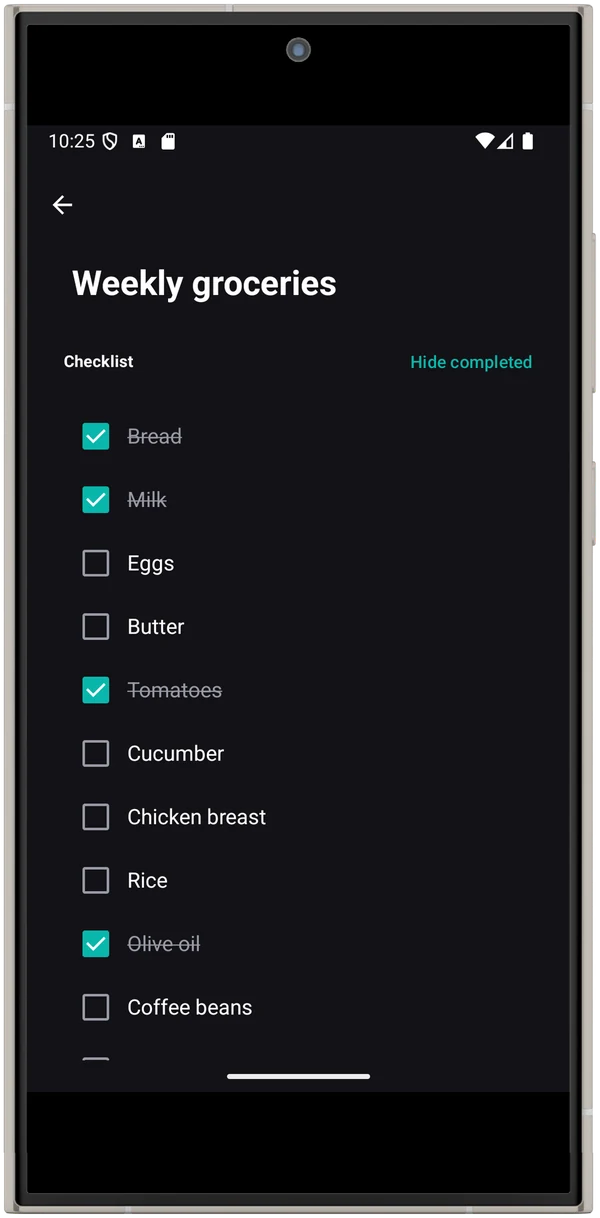
Quantities kept, one item per line, ticked off with a tap. Items stay where they are when you check them — nothing jumps around under your thumb.

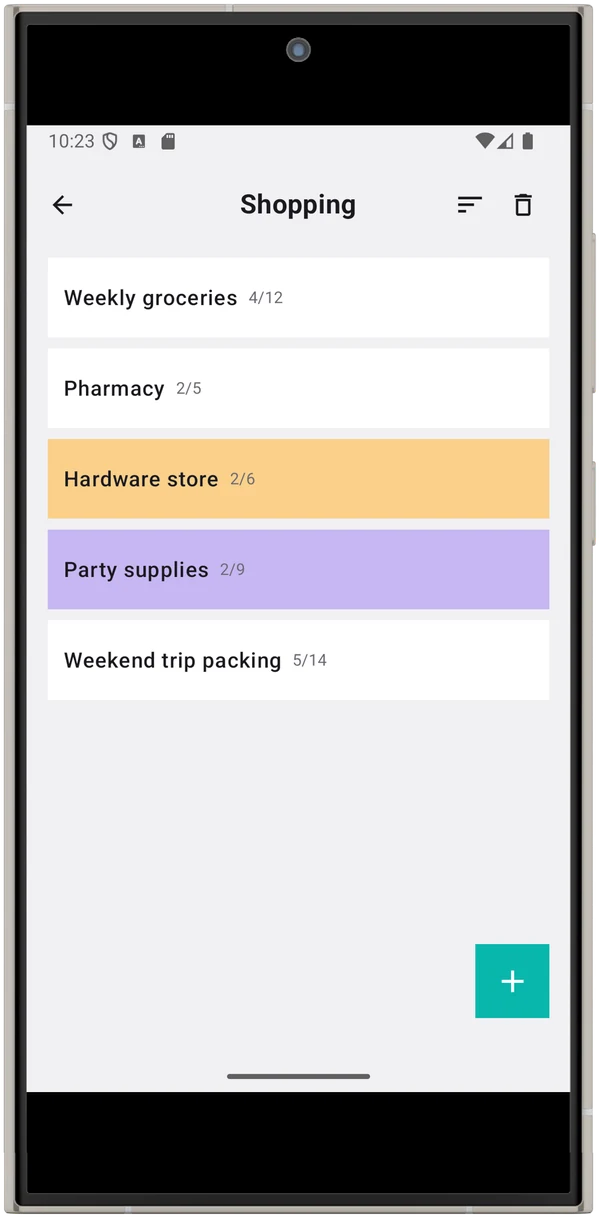
Shopping lists overview
Weekly groceries checklist

Notes

Your thoughts, filed where they belong.

Tasks, Shopping and Notes come built in. Add your own categories, give notes a colour, and find any of them later by searching what you said.

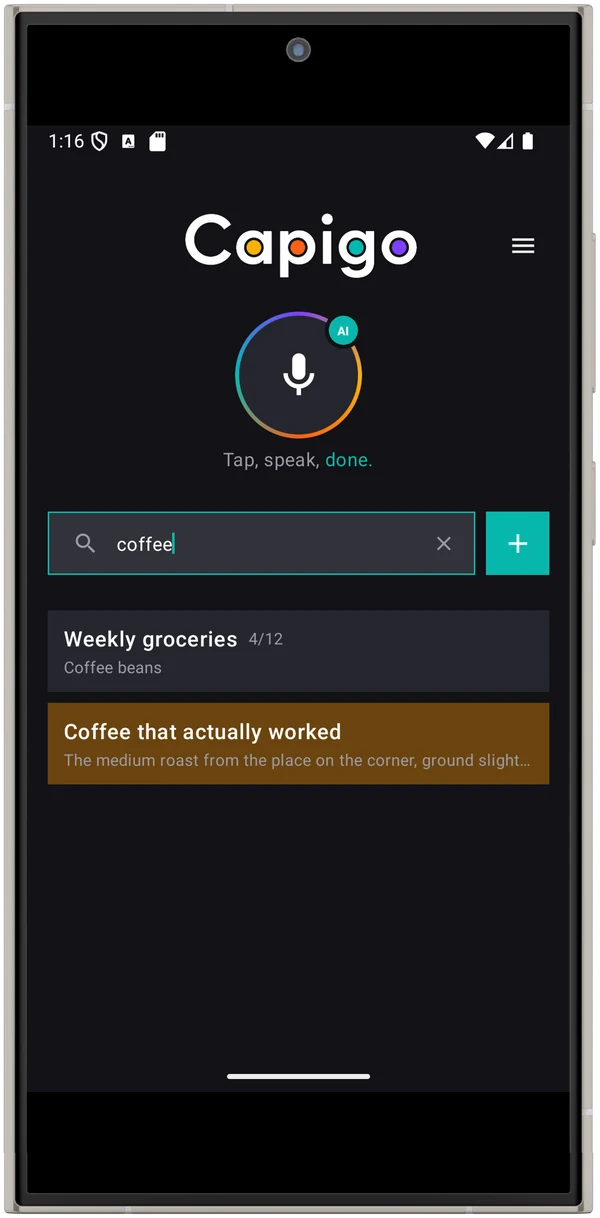
Search results for coffee
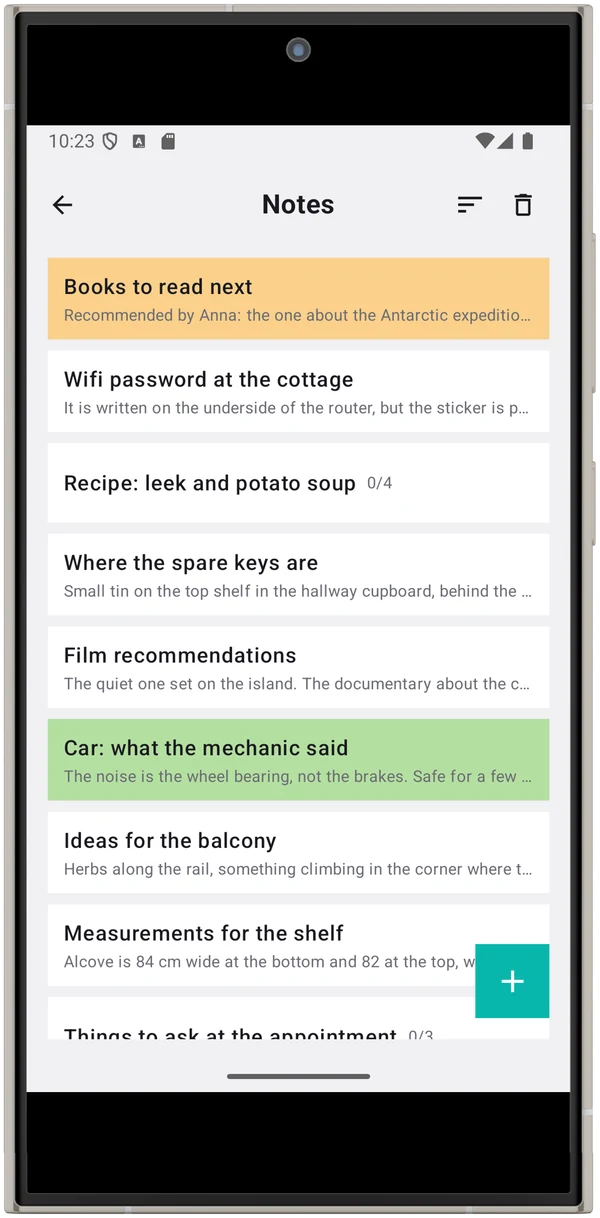
Notes list in light theme

Contacts

Pin a number to a note, call with one tap.

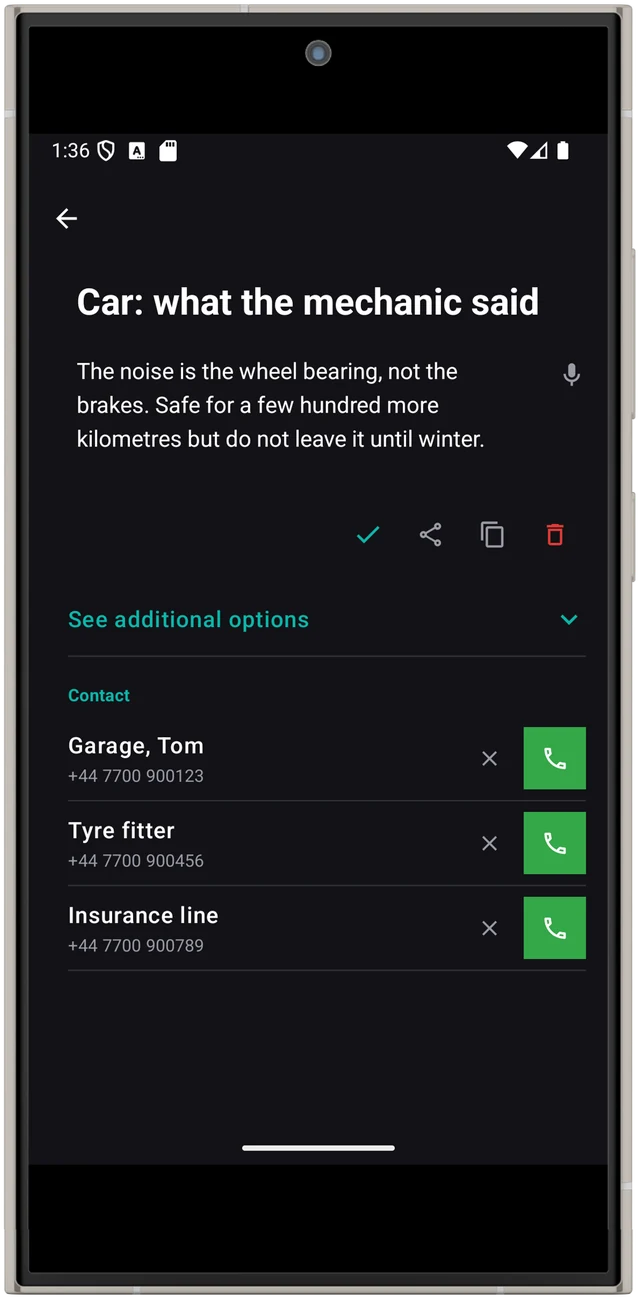
The mechanic, the tyre fitter, the insurance line — kept with the note about the car, not lost in a contacts list.

Note with pinned phone numbers and call buttons

Theme

Dark or light. Your choice.

Clean and simple, nothing in your way — in either theme, on phones and tablets.

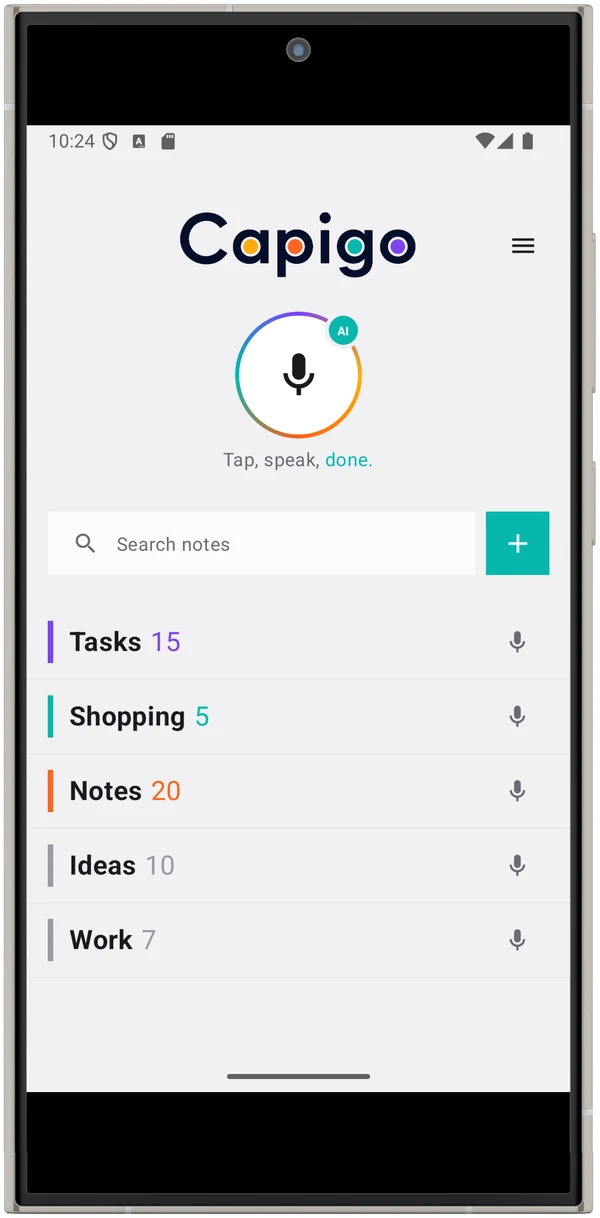
Capigo home screen, light theme
Capigo home screen, dark theme

Just say it

Talk normally. Capigo does the rest.

A few things you can say — and what shows up on your phone a moment later.

Remind me every Monday at eight to check the warehouse stock.

A task called Check warehouse stock, repeating weekly, Mondays at 08:00, starting from the nearest Monday.

Take the antibiotic at eight and at eight in the evening for the next seven days.

A series: two alarms a day, 08:00 and 20:00, for seven days — then it stops on its own.

Put this under Work: ask Anna about the Q3 numbers before Thursday.

Goes straight into your own category “Work”. When you name a category, that always wins over what the AI would have guessed.

Bread, two litres of milk, coffee and something for Sunday.

A checklist in Shopping, four items, quantities kept — no need to say the words “shopping list”.

The full list

Everything Capigo does.

No hidden tiers. Every feature below is in the app on day one.

Capture

  • Home-screen widget starts recording without opening the app
  • Big microphone on the home screen, small one on every category
  • Listens until you actually stop — pauses mid-sentence are fine
  • Speech understood in 99 languages — far more than the app is translated into
  • Type instead when you want to — quick-add sheet or full editor
  • Share into Capigo from any app: text, photos, video, PDF

Understood, not just transcribed

  • A short title and cleaned-up content, written back in the language you spoke
  • Filed into Tasks, Shopping or Notes from what you said
  • Name a category out loud and that choice always wins
  • Dates and times pulled from speech: “tomorrow at nine”, “next Monday”, “in two hours”
  • Lists spotted automatically and turned into checklists, quantities kept

Reminders that hold

  • One-off, or repeating: daily, weekly, every second day, monthly, yearly
  • Series for a fixed run — several times a day for a set number of days, like a course of medication
  • Full-screen alarm with sound, on the lock screen, with a “Done” button right there
  • Snooze 5, 15 or 30 minutes, or until tomorrow — or postpone without changing the date
  • Survives a reboot, an app update and a change of time zone
  • Choose how many times it rings
  • “Next reminder” widget on the home screen

Organise

  • Tasks sorted into Overdue · Today · Upcoming, with a Done section you can filter
  • Your own categories, each behaving like tasks or like plain notes
  • Colour any note in its list
  • Search across titles, content, checklist items, links and pinned numbers
  • Sort order remembered per category
  • Mark done with a swipe, in any category

Inside a note

  • Checklists that keep their order when you tick things off
  • Attachments: photos from the camera or gallery, any file up to 25 MB, 20 per note
  • Links with labels
  • Pinned phone numbers with a call button — from your contacts, typed, or offered from the clipboard
  • Share a note out to any other app

Yours to keep

  • Notes stored only on your phone — no cloud, no server copy
  • Interface translated into 52 languages
  • Trash holds deleted notes for 7 days; export and import all notes as one file
  • Dark and light theme, phones and tablets
  • Sign in with Google or with email. Delete your account whenever you want.
  • No subscription, no ads

Simple on purpose

Anyone should be able to pick it up.

Capigo stays minimal by design. One button to talk, a short list to read, nothing to configure before it is useful. Every feature has to earn its place on the screen — if it makes the app harder to use, it does not go in.

Still growing

Shaped by the people who use it.

Capigo is actively developed and shaped by what people actually ask for. New home-screen widgets are in the works right now. If something gets in your way, tell us — every message is read.

Privacy

Your notes stay on your phone.

No cloud sync, no server-side copy. Recordings are sent for transcription, never stored, and the finished note comes straight back to your device. We keep your account and your remaining AI uses — not your notes.

Full details in the Privacy Policy.

What it costs

Free for as long as you like.

Capigo is built not to push a subscription on you and not to nag you with ads. Use it free for as long as you want. If you want more convenience, buy AI uses — that is what keeps the app developing.

Free, no time limit

Notes, checklists, categories, reminders, widgets, attachments, search, export — all of it, with no account charge and nothing that expires.

No ads. No subscription.

Nothing to cancel, nothing that renews, nothing that interrupts you. Your attention is not the product.

AI uses, when you want them

Turning speech into a finished note is the one thing that costs a use. Buy a pack of 25, 100 or 250 uses once — they never expire, and every purchase supports development.